“Today, we are excited to announce the GA for Branch Office and SMB Disaster Recovery to Azure. Azure Site Recovery delivers a simpler, reliable & cost effective Disaster Recovery solution to Branch Office and SMB customers. ASR with new Hyper-V Virtual Machine Protection from Windows Server 2012 R2 to Microsoft Azure can now be used at customer owned sites where SCVMM is not deployed.
Microsoft uses the following description of Windows Azure Pack (WAP):
Windows Azure Pack for Windows Server is a collection of Windows Azure technologies, available to Microsoft customers at no additional cost for installation into your data center. It runs on top of Windows Server 2012 R2 and System Center 2012 R2 and, through the use of the Windows Azure technologies, enables you to offer a rich, self-service, multi-tenant cloud, consistent with the public Windows Azure experience.
Windows Azure Pack includes the following capabilities:
WAP:
Management portal for tenants – a customizable self-service portal for provisioning, monitoring, and managing services such as Web Site Clouds, Virtual Machine Clouds, and Service Bus Clouds.
Management portal for administrators – a portal for administrators to configure and manage resource clouds, user accounts, and tenant offers, quotas, and pricing.
Authentication sites – these sites provide authentication services for the management portal for administrators and the management portal for tenants. Windows Authentication + ADFS for Admins Sites and ASP.NET provider for tenants
Service management API – a REST API that helps enable a range of integration scenarios including custom portal and billing systems.
Optional Resources:
Web Site Clouds – a service that helps provide a high-density, scalable shared web hosting platform for ASP.NET, PHP, and Node.js web applications. The Web Site Clouds service includes a customizable web application gallery of open source web applications and integration with source control systems for custom-developed web sites and applications.
Virtual Machine Clouds – a service that provides infrastructure-as-a-service (IaaS) capabilities for Windows and Linux virtual machines. The Virtual Machine Clouds service includes a VM template gallery, scaling options, and virtual networking capabilities.
Service Bus Clouds – a service that provides reliable messaging services between distributed applications. The Service Bus Clouds service includes queued and topic-based publish/subscribe capabilities.
SQL and MySQL – services that provide database instances. These databases can be used in conjunction with the Web Sites service.
Automation – the capability to automate and integrate additional custom services into the services framework, including a runbook editor and execution environment.
Optional resource = what you are going to connect with WAP (for example, VMM cloud).
Required components = Windows Azure Pack components which you install on one machine (express) or on multiple machines (distributed)
In other words, WAP is interface between your resources and tenants=clients. It’s a great solution for all client-oriented company and to start providing cloud resources to customers without any additional cost. On the following picture you can see the main components of WAP , cloud components and optional resources. WAP can be deployed in 2 different ways – express and distributed. In the express deployment you install all WAP components on one machine and it’s recommended only for test or demo environments. If you want to have WAP in your production , you should use distributed deployment . In such a deployment, WAP required and optional components are installed on multiple machines.
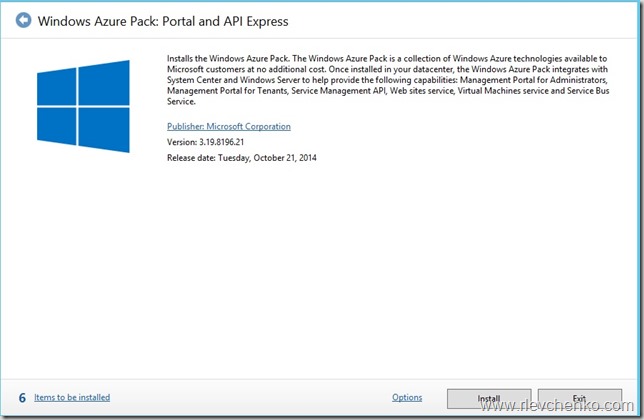
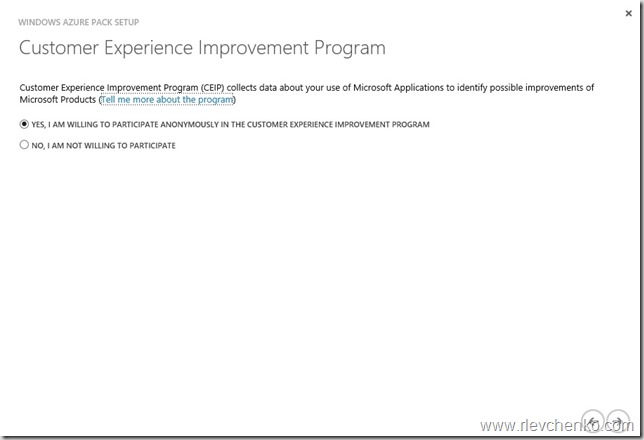
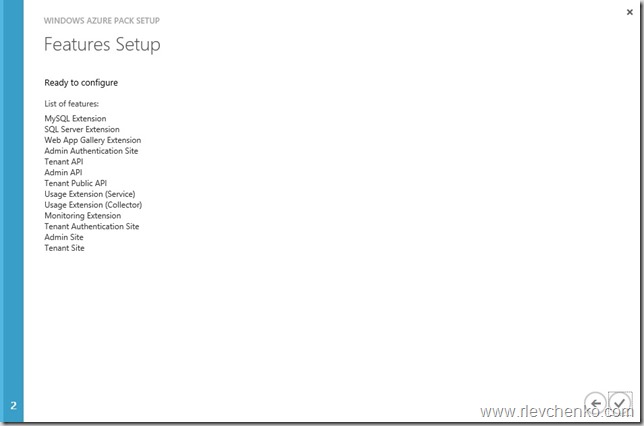
We’ll go through the step-by-step WAP Express installation
Required VM
1 VM (2012/2012R2, 8 Gb static RAM, at least 40 GB hard disk space, 2 vCPU, internet connection) for Windows Azure Pack Components






 UseIT | Roman Levchenko