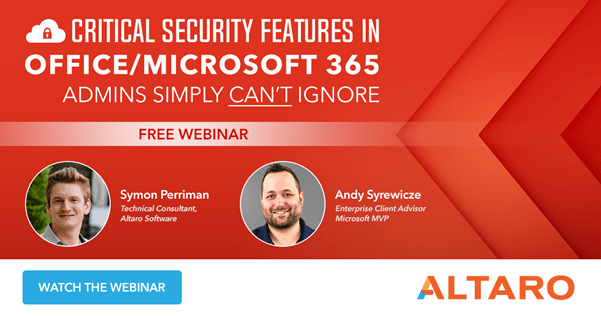
Webinar: Critical Security Features in Office/Microsoft 365 Admins Simply Can’t Ignore

Office/Microsoft 365 has a serious amount of in-built security measures, but it’s not straight forward to enable them and ensure they are all configured correctly for your requirements. A free upcoming webinar from Altaro on May 27th is a must-attend event for all users of Office/Microsoft 365, even more so due to current concerns over COVID-19 exploits.

Presented by Microsoft MVP Andy Syrewicze and Altaro Technical Consultant and former Microsoft Senior Technical Evangelist Symon Perriman, this live demo webinar covers security features in the Office 365 stack that every administrator should be using including Azure AD, EMS Suite, Secure Score, Licensing for Security Features, and more!

As usual, Altaro hosts the webinar live twice on the same day to give as many people as possible the chance to attend live and ask their questions to the presenters. The first is at 3pm CEST/ 9am EDT/6am PDT and the second at 7pm CEST/ 1pm EDT/ 10am PDT. Both sessions have the same content so just choose the session with the best time for you. I’ll be attending so I’ll see you there!

Webinar Title:             Critical Security Features in Office/Microsoft 365

Date:                           Wednesday, May 27, 2020

Time:                           Webinar presented live twice on the day.

Choose your preferred time:

  • 3pm CEST / 6am PDT / 9am EDT
  • 7pm CEST / 10am PDT / 1pm EDT

Azure Kubernetes: ARM Template and Managed Identity

Managed identity is now available for Azure Kubernetes Service, so there is no longer need to manage your own service principals or rotate credentials often. Just execute “az aks create -g rgname -n clustername –enable-managed-identity” and the cluster is ready to go. The next option is using ARM template to configure AKS. There are multiple examples of ARM templates for deploying Kubernetes in Azure with advanced networking and etc. However, you can’t find any templates that use Managed Identity along with Azure Kubernetes Service. Plus, if you have resources outside of the MC_* resource group (it’s created automatically during the AKS deployment), you need to grant required permissions to cluster Managed Identity (new and recommended) or Service Principal, so AKS will be able to interact with such “external” resources (for example, read/write on subnets and etc.). Here is an example how you can reference the identity using ARM template:

                            "type": "Microsoft.Network/virtualNetworks/subnets/providers/roleAssignments",
                            "apiVersion": "2017-05-01",
                            "name": "[concat(variables('vnetName'), '/', variables('vnetSubnetName'),'/Microsoft.Authorization/', guid(resourceGroup().id, 'aksvnetaccesscluster'))]",
                            "properties": {
                                "roleDefinitionId": "[variables('networkContributorRole')]",
                                "principalId": "[reference(resourceId('Microsoft.ContainerService/managedClusters/', parameters('clusterResourceName')), '2020-03-01', 'Full').identity.principalId]",
                                "scope": "[variables('vnetSubnetId')]"
                            }