
Microsoft has released new version of Virtual Machine Converter. Since from System Center 2012 R2 P2V support has been removed from functionality and some people had to use third-party solutions (sysinternals disk2vhd, citrix xenconvert, vmware converter and etc) or SC 2012/SP1 . Now we have a native tool from MS to performing physical-to-virtual conversion:
Microsoft® Virtual Machine Converter (MVMC) is a Microsoft-supported, stand-alone solution for the information technology (IT) pro or solution provider who wants to convert virtual machines and disks from VMware hosts to Hyper-V® hosts and Windows Azure™ or alternatively convert a physical computer running Windows Server 2008 or above server operating systems or Windows Vista or above client operating systems to a virtual machine running on Hyper-V host
MVMC can be deployed with minimal dependencies. Because MVMC provides native support for Windows PowerShell®, it enables scripting and integration with data center automation workflows such as those authored and run within Microsoft System Center Orchestrator 2012 R2. It can also be invoked through the Windows PowerShell® command-line interface. The solution is simple to download, install, and use. In addition to the Windows PowerShell capability, MVMC provides a wizard-driven GUI to facilitate virtual machine conversion.
New Features in MVMC 3.0
The 3.0 release of MVMC adds the ability to convert a physical computer running Windows Server 2008 or above server operating systems or Windows Vista or above client operating systems to a virtual machine running on Hyper-V host.
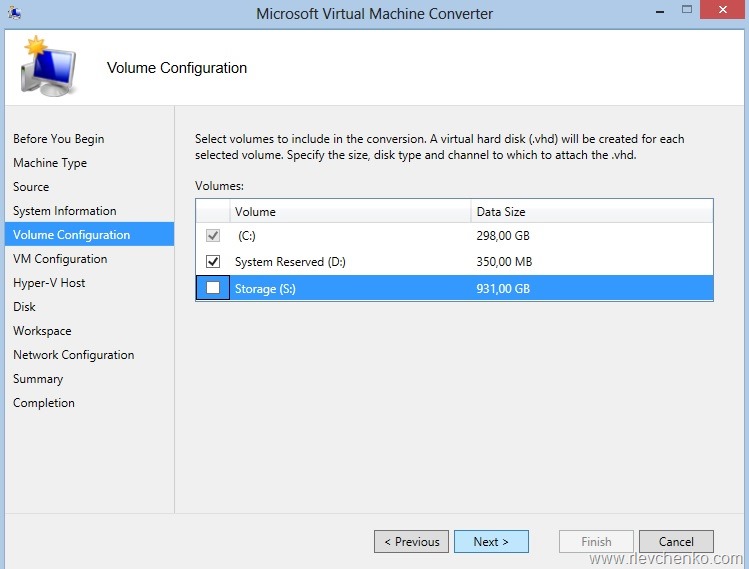
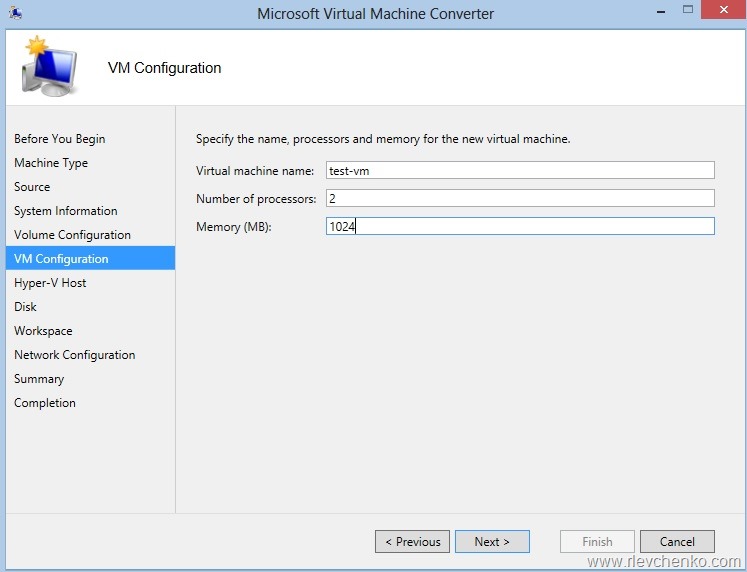
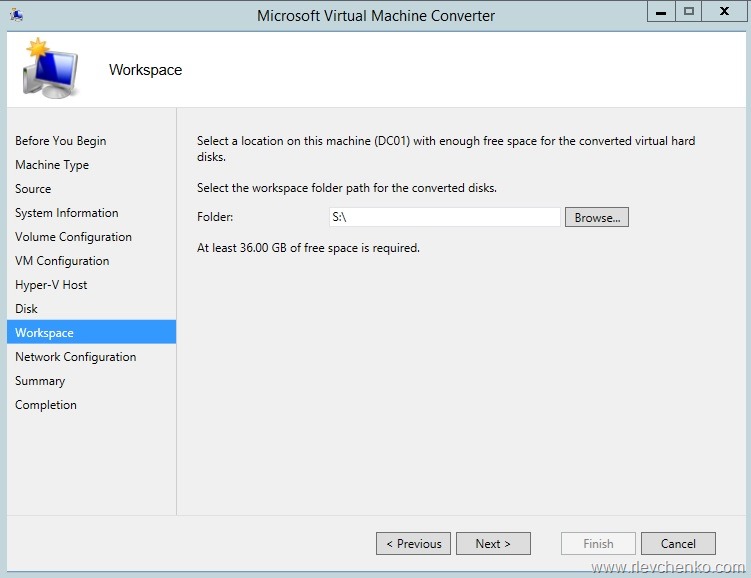
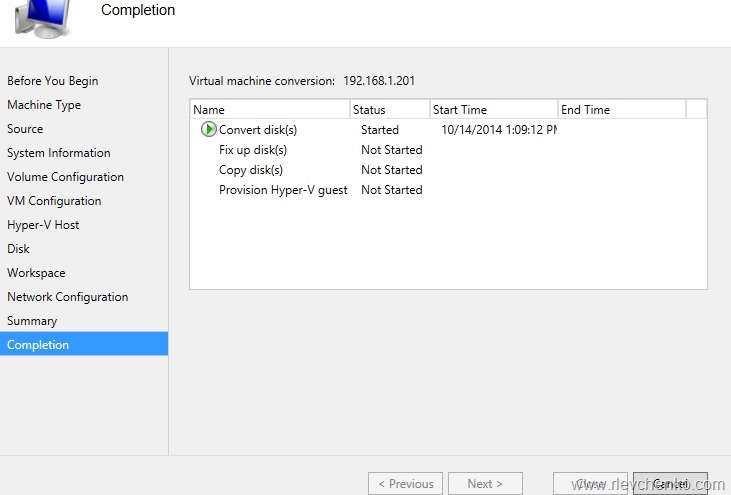
Sample:







 UseIT | Roman Levchenko