
VMM 2012 became the most powerful in the System Center product line. In my own, I use VMM to organize my private cloud, dynamic optimization cluster nodes and power optimization.With AppC (Application Controller) VMM gives you and your clients everything!
Does anyone use bare-metal deployment with VMM? Believe me, it’s the most useful feature. Just imagine,you have about 10 servers from box and your task – create a HA cluster. How are you going to complete your task? Write in the comments please! Thanks.
In this article I will try to describe all the possible ways to upgrade to VMM 2012 SP1.One of the most notable changes appeared in the requirements for VMM SP1. VMM Management Server SP1 only supports Server 2012! So, if you want to upgrade from VMM 2012, that is installed on Server 2008 R2 SP1, you have to do in-place migration to the Server 2012, and then update the existing VMM configuration database.
In System Center 2012 Service Pack 1 (SP1), the VMM Self-Service Portal has been removed. = Use AppController
Integration with Server 2012 = support Server 2012 new features such as SMB 3.0, storage based on Server 2012, Hyper-V 3.0 / vhdx disks
Integration with third-party SANs = Creating LUNs and etc from VMM it’s great feature. Microsoft has expanded list of supported SANs for management.
Support for physical network adapter configuration as follows: … NIC teaming (!)
Reasons for upgrading:
1) Evaluation copy of VMM has expired.

In that case, you cannot open VMM console and cmdlet Register-SCVMMAccessLicense doesn’t work too. There is the only one way to continue working with existing VM infrastructure .Yes,you are right.. it’s upgrading
2) You have Hyper-V hosts based on Server 2012. Now VMM SP1 supports Server 2012.
3) What’s new in VMM SP1
4) Stability 🙂
Main requirements for VMM 2012 SP1*:
1) Server 2012 Standard or Datacenter
2) Windows Assessment and Deployment Kit (ADK) for Windows 8
3) SQL Server 2008 R2 SP1 or higher
*requirements for Management Server and Database
In my test environment I have VMM 2012 installed on Server 2008 R2 SP1 and dedicated SQL Server 2008 R2 SP1 with existing VMM configuration database.VMM is up to date.
Upgrade steps:
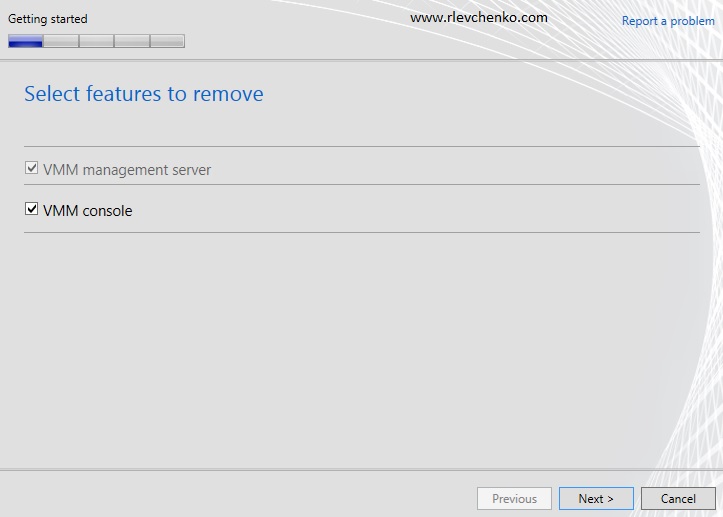
Uninstall VMM with the Retain Data option


In-Place upgrade Server 2008 R2 SP1 to Server 2012
1) Mount your Server 2012 ISO to your VM
2) Click on Setup
3) Click Next
4) Wait while wizard updates Server 2008 R2
Download and install ADK
There are two options to install ADK: install ADK to local computer or downloading ADK to your folder and installing it on other server. Second option is useful when your server doesn’t have internet access.


Upgrade to VMM SP1


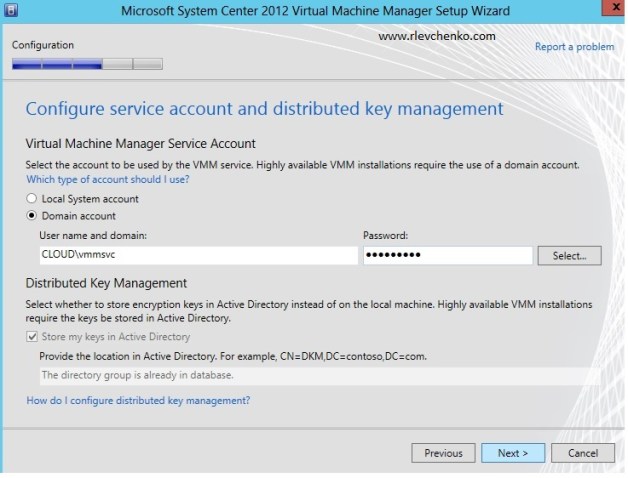
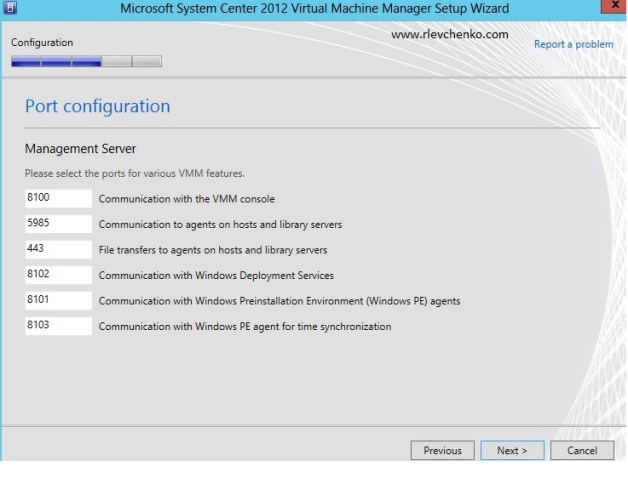


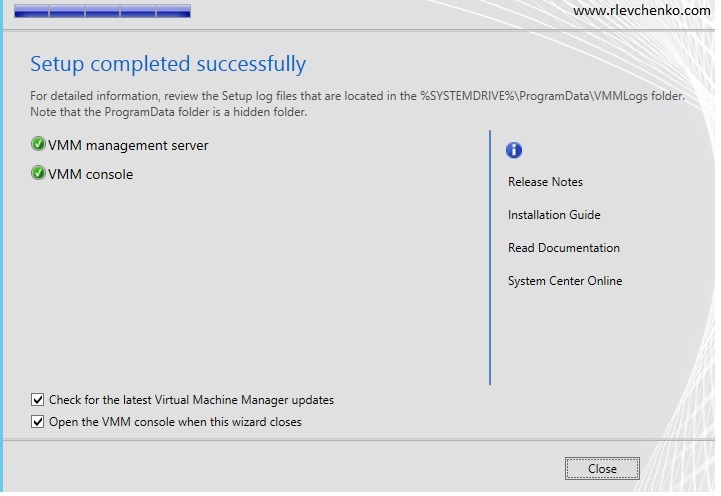
Update to rollup1
Check for updates (or download separately) and install updates for VMM Server and Console
Edited (21.03.2014): If you want to implement new rollups such as rollup 5 , you don’t have to apply Rollup 1 for System Center 2012 Service Pack 1 If you have installed rollup 1 , uninstall it and install the latest rollup (for now it’s rollup 5)
Updating VMM agents
DON’T FORGET! Some people sometimes forgets about updating agents after upgrading. If you forget ,in the node properties you will see the following status: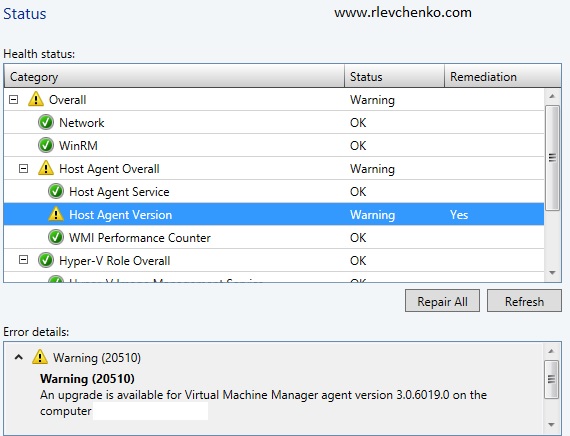
To resolve this go to Fabric – highlight your servers – on the tab choose Home- Update Agents and choose necessary account to do it.
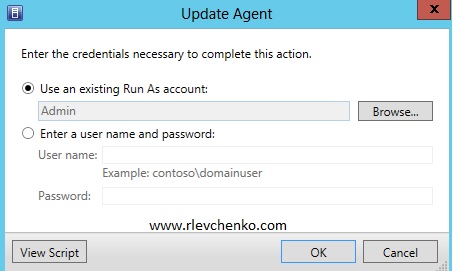
OR use the following script for updading all managed servers
$Credential = Get-Credential
Get-SCVMMManagedComputer | foreach { Update-SCVMMManagedComputer -VMMManagedComputer $_ -Credential $Credential -RunAsynchronously }
Check jobs 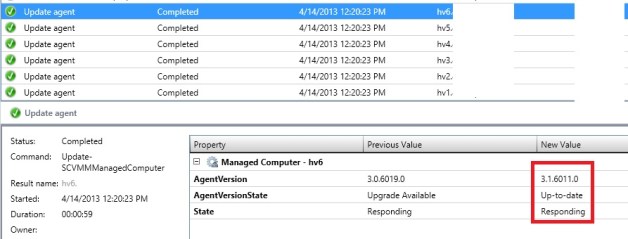
Our VMM is upgraded and agents updated. Enjoy new functionality :). Thanks for your comments!
 UseIT | Roman Levchenko