
Author: rlevchenko
Fix: Can’t re-install MPIO feature on Server 2012/Failed MPIO cluster test
During cluster verification you can receive the following message:
Validate Microsoft-based MPIO disks – Failed
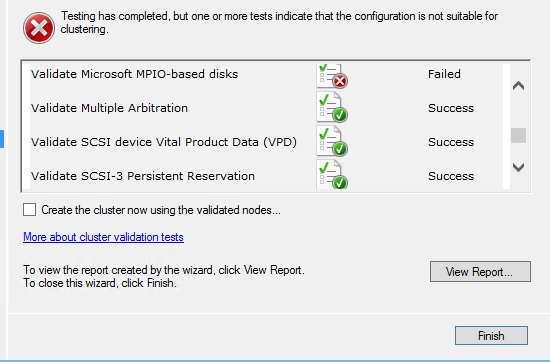
The main reason is that you have nodes with different MPIO driver version.
QFE Number is not the same on every nodes.

If you check driver properties (use device manager) you can verify this QFE

QFE version depends on OS patch level (installed SP , hotfixes or updates). In my case, I have the same patch level on every nodes. So , I decided to re-install mpio feature on every nodes (remove-windowsfeature). After succesfull uninstallation and server restart I couldn’t get MPIO back because of “ The request to add or remove features on the specified server failed. Installation of one or more roles,role services, or features failed. Error:0x800f0922″ . 
Install-WindowsFeature uses DISM utility and has the same log files for troubleshooting. They are located in %systemroot%\Logs\DISM and %systemroot%\Logs\CBS. In logs I found some interesting strings:
“The device instance cannot be created because it already exists”
“ROOT\MPIO001”

NICE! I understood that Install-WindowsFeature couldn’t delete this key and create some new ones. So, resolution is DELETE ROOT\MPIO and re-run Install-WindowsFeature. EASY AS PIE !? regedit.exe -> HKLM:\System\ControlSet001\Enum\MPIO -> right click -> delete = failure!
Of course, you cannot just delete these keys. I would recommend PSTools by Mark Russinovich (PSExec tool). This tool is able to enable “GOD MODE” for your registry :).
Use carefully!
Set-Location c:\PsTools
.\psexec.exe -i -d -s c:\windows\regedit.exe
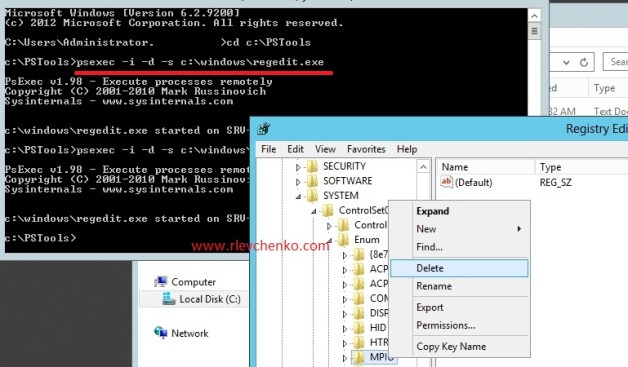
That’s all! Problem has gone away!
 UseIT | Roman Levchenko