Use Secure Socket Layer (SSL) Connection is greyed out #VMM2012SP1

VMM supports local and remote storage (block or file storage). If VMM supports your storage (see “Supported Storage Arrays for System Center 2012 VMM”) you can add one in 4 clicks. Notice some storage devices doesn’t have embedded SMI-S provider. In that case , you need to implement additional “interface” ,called as proxy, between VMM Server and storage device

Typical usage scenarios for storage features in VMM:

  • Assigning and adding storage to hosts or clusters
  • Cluster creation
  • Scale-Out File Server
  • Rapid Provisioning

TIP:Do not install the SMI-S provider on the VMM management server. This configuration is not supported.

Please see technet article to get more information: http://technet.microsoft.com/en-us/library/gg610600.aspx

I have to add my storage (IBM  Storwize V3700) to VMM. This storage has embedded SMI-S provider , so we need to provide just IP address and account to access device. According with http://technet.microsoft.com/en-us/library/gg610563.aspx we also need to select the @Use Secure Sockets Layer (SSL) connection check box to enable HTTPS for communicating with the SMI-S CIMXML provider. As you see, this option is greyed out for both protocols SMS-S WMI (it is normal) and SMI-S CIMXML.

vmm_stor_4

Resolution: uninstall KB2840632 and KB2833958

wusa /uninstall /kb:2833958 /norestart
wusa /uninstall /kb:2840632 /norestart

vmm_stor_5

Restart you server and open VMM console. Use SSL option is active now!

vmm_stor_6

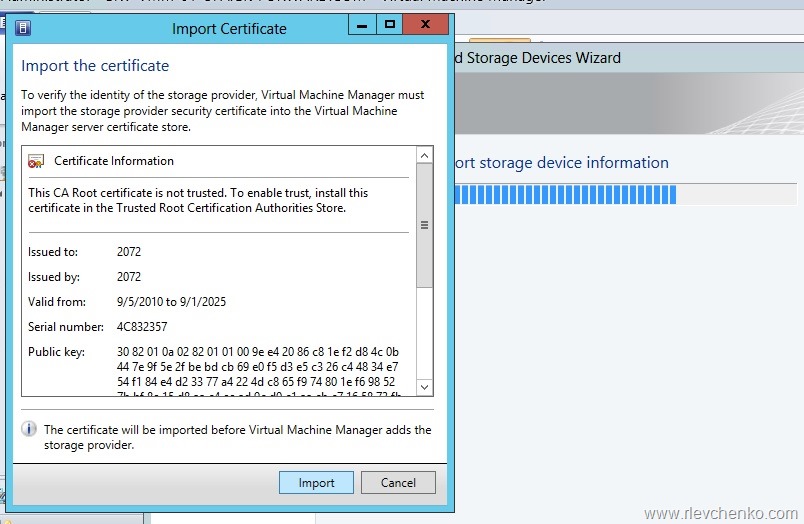
Click Next , Import certificate

vmm_stor_7

Click Next

vmm_stor_8

Select your LUNs and create classification for them

vmm_stor_9

Verify that running jobs completed without any errors

vmm_stor_10

That’s all!

vmm_stor_11

Configuring Windows Powershell Web Access

Windows PowerShell Web Access, first introduced in Windows Server® 2012, acts as a Windows PowerShell gateway, providing a web-based Windows PowerShell console that is targeted at a remote computer. To configure this feature we need to install WindowsPowershellWebAccess component and create PSWA application with security rule for it.

My demo: Server 2012 Datacenter named as Server1 and Windows 8 for remote connection

From client OS I create new remote powershell session to Server1:

New-PsSession Server1

Enter to created PS session:

Enter-PsSession 2

And install PWA feature:

Install-WindowsFeature WindowsPowerShellWebAccess -IncludeManagementTools -Verbose

pwa_1

Then we need to create app for PSWA:

Install-PswaWebApplication -UseTestCertificate -Verbose

pwa_2

More details: http://technet.microsoft.com/en-us/library/jj592894.aspx

By default, there are no rules for user authorization , so we have to create one:

Add-PswaAuthorizationRule -ComputerGroupName * -configurationName * -UserGroupName * -Verbose

*” allows all users access to all endpoints on all computers. This essentially turns off authorization rules (just for test)

More details: http://technet.microsoft.com/en-us/library/jj592890.aspx

Open your browser and type https://servernamewherepswaisinstalled/pswa . In my case, https://server1/pswa

pwa_3

Enter your credentials, computer name and sign in

pwa_7

There are no many options in PWA. The most interesting is ability to SAVE your session.

For example, let’s create alias $upd = Get-Service wua* in the current session

pwa_4

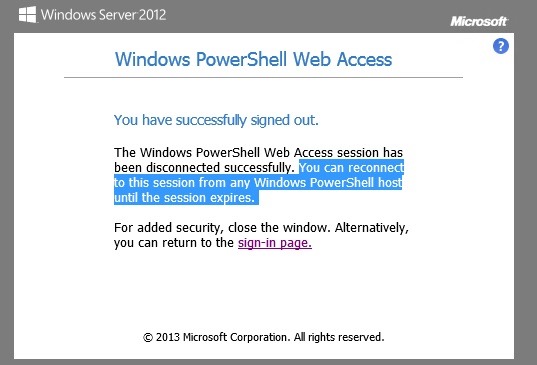
Then click on SAVE button to sign out without losing our alias $upd

pwa_5

Sign in again to PWA and notice that PWA saved our session as PSWA1 .

We can create new session or continue to work in previously created session (try to use $upd. it works)

pwa_6

TIP: TAB works in PWA too. Use it as usual.

More details about configuring PWA: http://technet.microsoft.com/en-gb/library/hh831611.aspx